
Gamification in Education
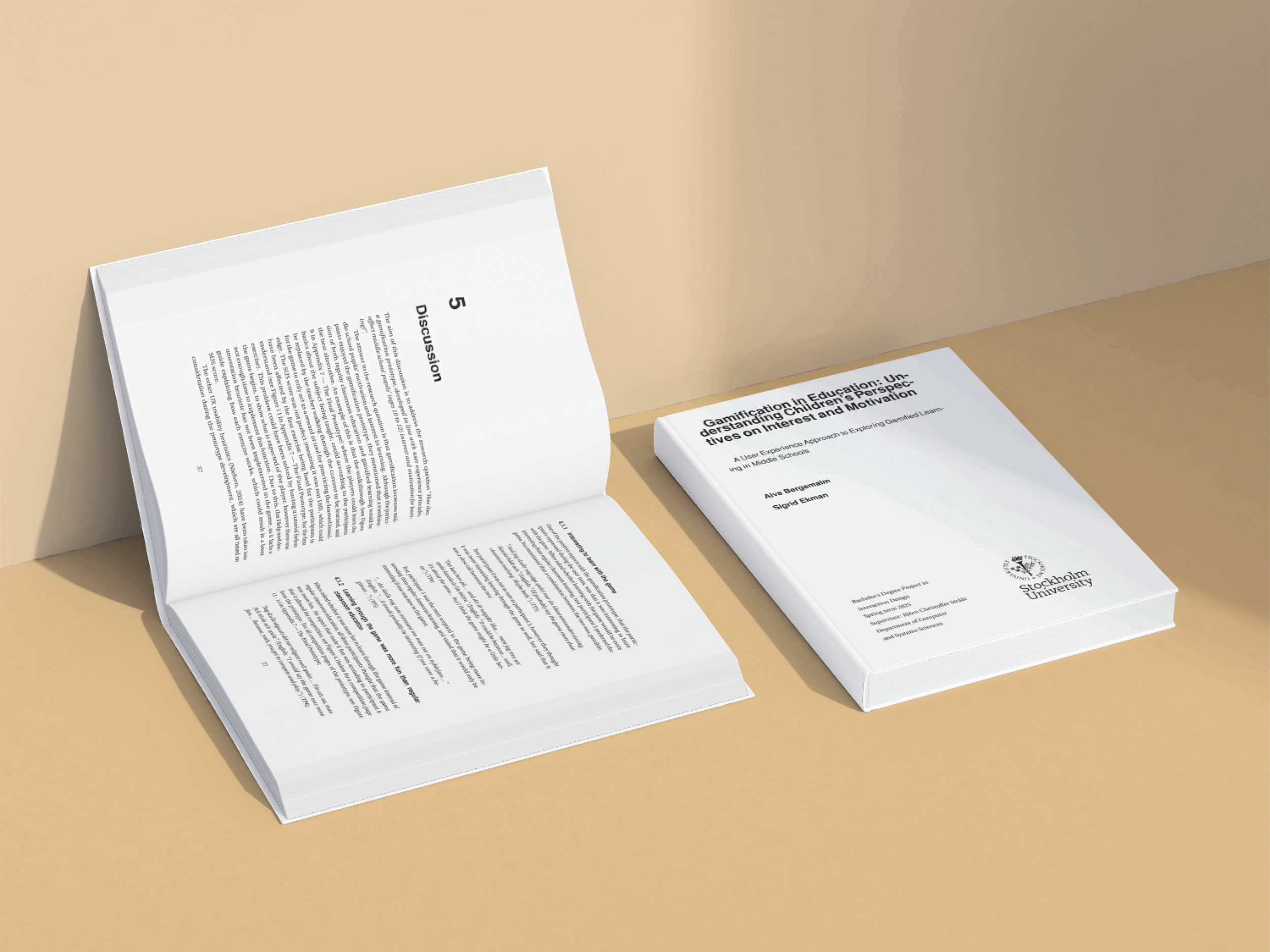
Bachelor thesis exploring how gamification, designed with UX principles, affects middle school pupils’ motivation, engagement, and learning experience through a tested interactive prototype.
Background
In an increasingly digital world, traditional classroom teaching often struggles to maintain children’s motivation and attention. While gamification is known to improve learning outcomes, most research focuses on effectiveness, not how children actually experience gamified systems.
This thesis explored gamification from the child’s perspective, combining academic research with UX design to create and evaluate a playful learning prototype tailored to middle school pupils.
The Challenge
How can playful game mechanics be designed to increase motivation and engagement - without distracting from learning or overwhelming young users?
Key constraints:
Designing for children with varying attention spans
Ensuring clarity, learnability, and accessibility
Balancing playfulness with educational purpose
The Solution
Through research and iterative design, I created a gamified learning prototype for social studies, designed around how children naturally engage with games. Playtesting showed that gamified learning was more engaging and enjoyable than traditional classroom learning, and most effective when used alongside teacher-led instruction.
Research
Research Goals
This project followed a User-Centered Design approach within a Design Science framework, ensuring that all design decisions were grounded in children’s real experiences rather than assumptions.
- 1 Understand users’ needs and motivations
- 2 Identify key pain points in the current experience
- 3 Inform design decisions with qualitative insights
Research Process
Interviews with Children
Data collection began with semi-structured interviews with six middle school pupils (ages 10-11). The interviews explored:
- Favorite and least favorite school subjects
- Experiences with classroom learning versus learning through games
- General gaming habits and preferences
- Wishes for their own learning game
The interviews were audio recorded, transcribed, and anonymized. This qualitative data formed the foundation for all subsequent design decisions.
Thematic Analysis
Interview transcripts were analyzed using Thematic Analysis. The process included:
- Transcription and familiarization with the data
- Inductive coding of meaningful statements
- Clustering codes into categories and themes
- Defining themes that reflected children’s perspectives
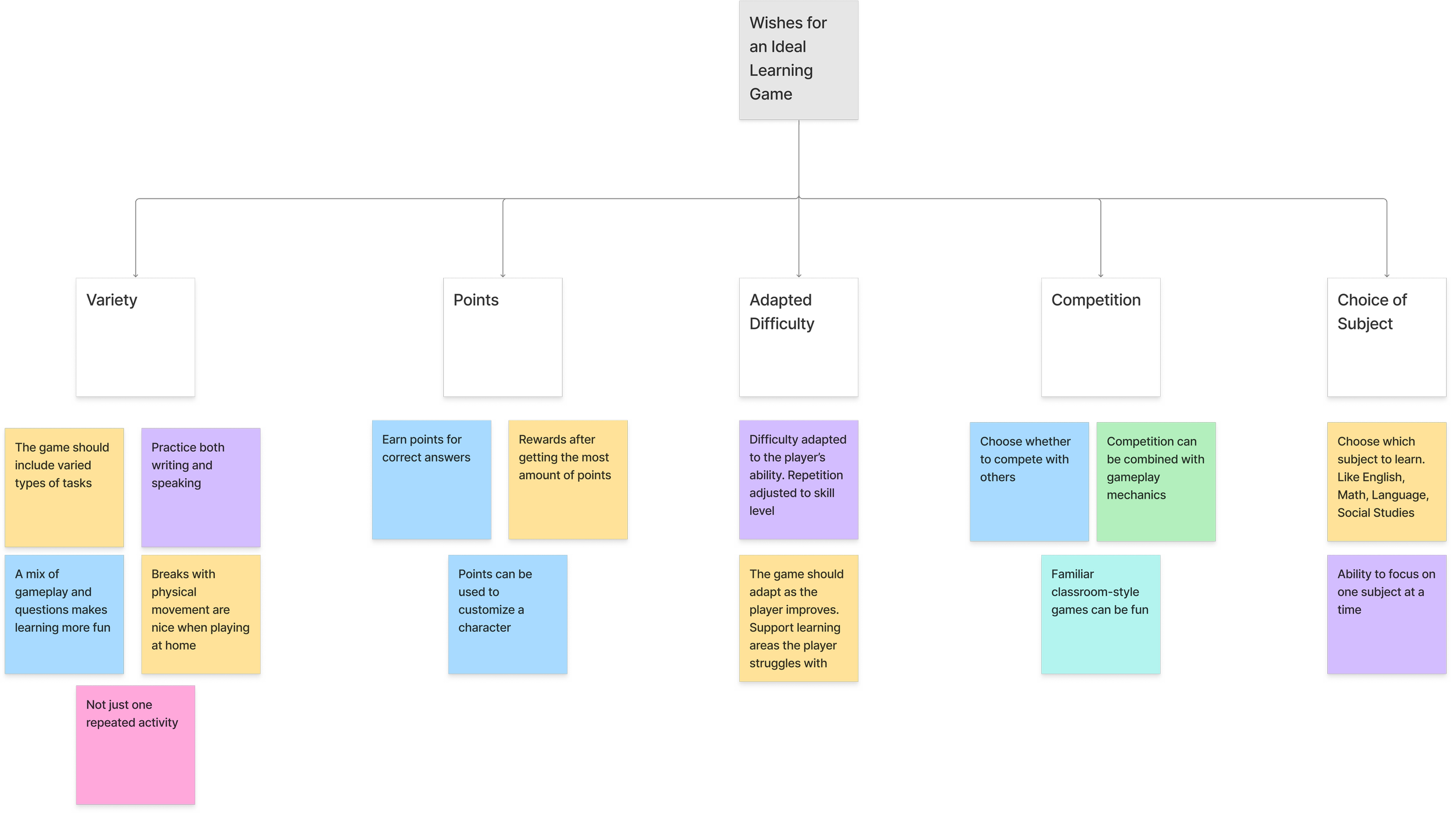
Key themes revealed patterns around motivation, clarity, competition, feedback, and task variety. These themes were used to define UX requirements for the prototype. See the thematic analysis for the children's wishes for an ideal learning game below:
Thematic analysis post-it notes for the children’s wishes for an ideal learning game.
Ideation & Prototyping
Translating Insights into Design
Insights from the thematic analysis were translated into concrete design requirements, ensuring a User-Centered Design approach. Key requirements included:
short, varied learning tasks
immediate and visible feedback
playful but non-stressful competition
clear structure and navigation
Prototyping
Lo-fi Prototype

Initial sketches explored the layout and visual hierarcies of the game. See the image above for the initial sketch of the game's start page.
- Durable form factor for repeated paw interaction
- Visual affordance added to clarify where to press
- Low-profile design to ensure stability during use
UI-kit

I built a functional, Arduino-powered button to validate the interaction in real use. The prototype combined a paw-sized physical interface with simple electronic feedback and wireless communication.
- Force-sensitive resistor to detect paw pressure
- Sound feedback to confirm successful activation
- Bluetooth communication to trigger phone notifications
- Lego casing to protect electronics and enable modular iteration
Digital Prototype

I created a simple Figma-based app simulation to demonstrate how a button press triggers a mobile notification for the owner. This allowed us to visualize and test the complete interaction flow without relying on complex backend integration.
- End-to-end interaction from physical input to digital feedback
- Notification clarity and visibility for the owner
- Timing and responsiveness of feedback
Paw-Sized Activation
Button must be easy to press with a paw.
Dogs naturally use their paws to interact with objects. The button size should accommodate different paw sizes.
Non-Disruptive Design
Should not interfere with natural behaviors.
The device should blend into the environment and not create anxiety or confusion for the dogs.
Sound Feedback
Audible confirmation when pressed.
Immediate feedback helps dogs learn that their action was successful.
Mobile Notification
Alert owners when not in the room.
Enables communication even when owners are elsewhere in the home.
Testing
We conducted multiple iterative test sessions with Sandor and Nellie over several days. The goal was to determine whether dogs could learn to use the button intentionally to gain attention.

Positive reinforcement
- Association - Started by associating button-pressing with the “give paw” cue.
- Independency - Gradually moved from guided interaction to independent use.
- Attention - Reinforcement shifted from treats to attention.

Iterative changes made
- Surface friction - The puck initially slid during pressing attempts, which distracted the dogs. I added a Wettex mat to stabilize the button, indicating that future versions should include integrated rubber grip material.
- Sound feedback - I tested versions with and without sound. Audible feedback helped the dogs understand when an action was successful, reinforcing learning and reducing random presses.
- Context awareness - Training began in focused one-on-one sessions and gradually shifted to more natural situations, such as when the owner was occupied. This helped the dogs generalize the interaction and use the button more intentionally.
Outcome
Both dogs were able to learn and apply the button-pressing behavior to gain attention. See the video where Nellie uses the Arduino-powered button to get my attention!
This validated:
That dogs can interact with physical and technological interfaces.
That reinforcement feedback (sound) supports learning.
That design can translate non-human behavior into actionable interaction.
The result was a working proof of concept, a physical-digital communication tool grounded in real user behavior.
What Did I Learn?
Designing Beyond Humans
Working with non-verbal users taught me to shift from verbal feedback to interpreting body language and subtle behaviors. It pushed me to think beyond conventional UX patterns.
The Value of Iteration
Small adjustments like reducing slippage or adding sound had a big impact on usability and learning. Iteration was essential not only for the design, but for shaping how the dogs engaged with the product.
Grounding Decisions in Behavior
Ethnomethodology and Conversation Analysis helped me ground every design decision in observed behavior. This ensured the solution was intuitive, usable, and respectful of the animal users.
Personal Reflection
This project pushed me to adapt my design mindset. It made me more observant and reminded me that user-centered design isn't just about listening. Sometimes it’s about watching quietly, noticing patterns, and building from the ground up.